Sun, Jul 12, 2026NY 8:00 PM EDTLA 5:00 PM PDTLON 1:00 AM GMT+1PAR 2:00 AM GMT+2DXB 4:00 AM GMT+4SIN 8:00 AM GMT+8TOK 9:00 AM GMT+9SYD 10:00 AM GMT+10UTC 12:00 AM UTCPayment alerts updated guide pathsScam watch official links firstConsumer alertsSupport-scam watchMoney help deskHow-to guides
Strangely Useful

Payment problems, online safety, browser privacy, AI tools, and everyday tech choices.

Browse the site
Topic hubsFake support guideWrong Cash App paymentLatest storiesTopicsPayment helpSearch
All sections
Internet & CultureTech & AISecurity & TrustPractical TechnologyMoney & PaymentsBrowser & PrivacyAI ToolsSoftware & ServicesInternet Culture & Everyday WorkflowsHidden HistoryUseful ThingsEntertainmentQuizzesAboutHow we workHow guides are madeFollow by RSS
Security & Trust - story

Build a Recovery Email That Does Not Become the Weak Link

A recovery mailbox should be independent, monitored, strongly protected, and used for recovery—not newsletters and random signups.

By Strangely Useful EditorsReviewed by the Strangely Useful Security & Trust deskPublished July 12, 20262 sources2 min read
Quick answer

A recovery mailbox should be independent, monitored, strongly protected, and used for recovery—not newsletters and random signups.

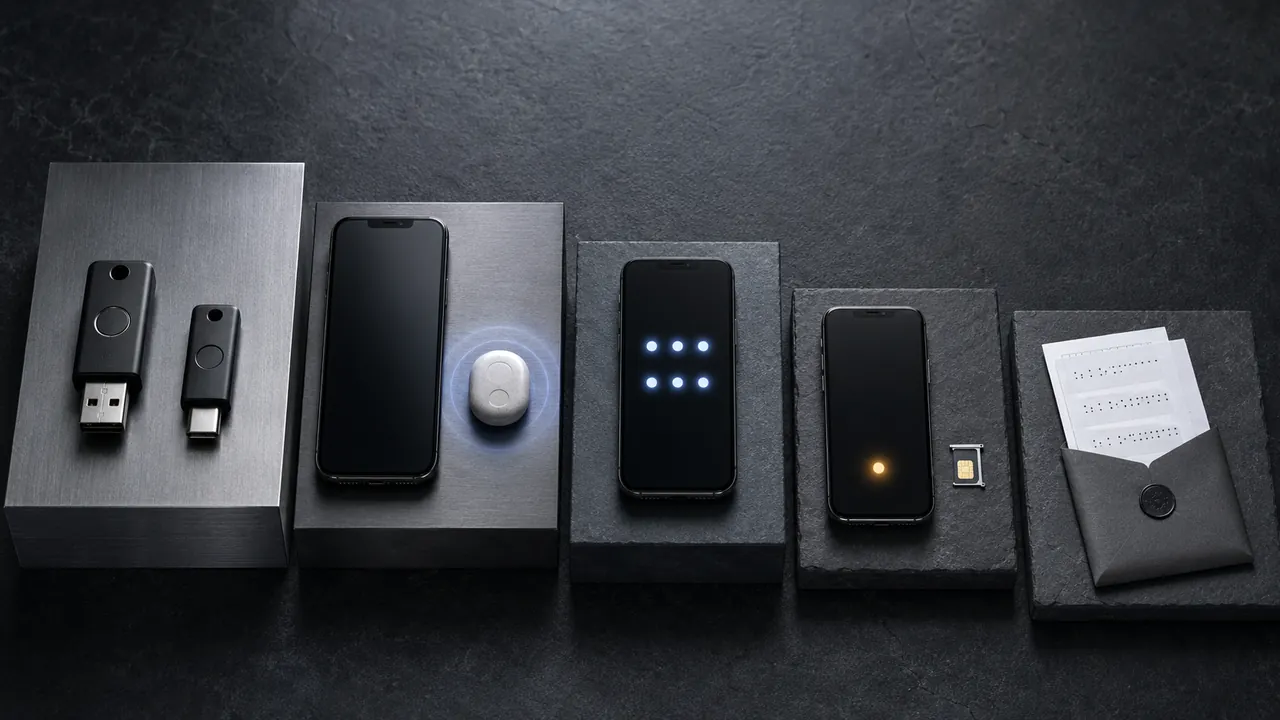
Separate mailbox containers, envelopes, and account devices arranged as independent recovery paths
The address must remain active and monitored. Independence matters: avoid circular arrangements where two mailboxes can reset each other and share the same weak factor. Illustration by Strangely Useful.
In this story4 sectionsTreat the spare mailbox as a keyKeep recovery paths independentMake sure someone is watching alertsReplace an address before it disappears

A recovery mailbox quietly controls access to everything it can reset. Giving it less daily exposure—and stronger protection than an ordinary signup address—reduces the chance that it becomes the easiest way in.

A recovery mailbox should be independent, monitored, strongly protected, and used for recovery—not newsletters and random signups. The address must remain active and monitored. Independence matters: avoid circular arrangements where two mailboxes can reset each other and share the same weak factor.

Confirm the provider’s inactivity policy and recovery options before adopting the address. A backup mailbox that can silently expire is not a dependable identity anchor.

Treat the spare mailbox as a key

Choose an address you can retain long term. Choose a long-lived provider and an address used only for recovery and important identity accounts. Less routine mail means fewer phishing opportunities.

Keep recovery paths independent

  1. Give it a unique password and strong MFA

    Protect the mailbox with a unique password and strong MFA. Its compromise would let an attacker reset every account that trusts it.

  2. Keep its recovery methods independent from the primary mailbox

    Avoid circular recovery where the primary and backup mailboxes depend only on each other. Add an independent factor or stored recovery code.

  3. Sign in periodically and monitor security notices

    Sign in periodically so the provider does not treat the address as abandoned. Confirm security alerts still arrive and are not filtered.

  4. Use it only for important recovery and identity accounts

    Replace the address before closing it or losing a domain. Update critical accounts one by one and verify each change.

An address that never receives normal mail can be easy to forget. Add a periodic reminder to sign in and confirm its recovery details; otherwise the supposed fallback may fail precisely when needed.

Make sure someone is watching alerts

  • Two accounts that recover each other can create a loop.
  • An abandoned recovery address can be reassigned under some providers’ policies.
  • Do not share recovery-mail access casually.

Replace the address if the provider is closing, the mailbox cannot receive alerts reliably, or its own recovery path depends entirely on the primary account.

Replace an address before it disappears

Menus, limits, and recovery options change. Confirm the current steps in “Set up recovery options” and “Use Strong Passwords” before acting.

Google recommends adding current recovery information so it can contact users about suspicious activity and help restore access.

CISA recommends unique passwords and multi-factor authentication for important accounts.

Sources used2 sources checked for this guide
  1. Set up recovery optionsGoogle Account Helpreference - Retrieved Jul 12, 2026

    Used forGoogle recommends adding current recovery information so it can contact users about suspicious activity and help restore access.

  2. Use Strong PasswordsCISAreference - Retrieved Jul 12, 2026

    Used forCISA recommends unique passwords and multi-factor authentication for important accounts.

Guide feedback

Was this guide useful?

No personal details are collected here. Use corrections for factual issues.